
Pixarra TwistedBrush Pro Studio - digital paint software with complete natural art tools - oils, acrylics, pastel, charcoal etc. Software for artists without the complexity of other art programs. TwistedBrush Pro Studio - creating art the way it should be, simple and fun!
Simplicity without sacrifice, powerful enough for the professional artist yet simple enough for the novice. TwistedBrush Pro Studio has one of the most versatile and powerful brush engines in existence, yet it was designed from day one to be easy to use. TwistedBrush Pro Studio has more than 3,000 brushes, along with all the features that artists love to use: layers, realistic media, photo cloning, tracing, masks, particles, filters, script recording, scripts to AVI, drawing tablet support, brush shapes, patterns, textures, integrated scanner support, image brushes, drawing guides, reference image views, dirty brushes, scratch layer, dynamic palettes and a whole lot more.
TwistedBrush Pro Studio runs on all versions of the Windows operating system and is designed for all realms of digital art including natural media fine art, photo retouching, photo composition, photo cloning to turn your photos into the look of hand painted artwork, mandala art, patterns, manga, even 3D like painting with the incredible blob modeling tools.
TwistedBrush Pro Studio Feature Highlights:
Workspace. The workspace in TwistedBrush is designed to reduce the number of floating windows that overlay your painting surface freeing you from the chore of constantly shuffling windows around. Over 50 brushes are right at your fingertips, along with numerous color palette options and tools that get assigned to your right button click to further streamline your artist workflow.
Sketckbook. TwistedBrush works much like a real sketchbook. When you start TwistedBrush it is like opening your sketchbook, it is immediately ready to draw or paint on your page. When you're done with a page you turn to the the next page. You never need to manually save your work. But of course you can export your pictures to any number of the standard image formats such as JPEG, PNG, BMP, TGA, TIFF, GIF, etc.
Page Explorer. Like a unlimited supply of sketchbooks, TwistedBrush keeps your pages stored in books. Up to 500 pages per book and an unlimited number of books means you'll never run out of paper! The Page Explorer makes it easy to view and reorganize your pages in your sketchbooks. Even assign a name to your sketch book if you like.
Select Brushes. In any digital painting program the core of the system is in the brushes. Therefore easy access to the brushes is key. In TwistedBrush there are over 2000 brushes included with more added all the time. With the brush shortcut system your favorite brushes are always ready for you.
ArtSets. ArtSets organize the brushes in TwistedBrush into groups of 60 brushes. There are a variety of types of ArtSets, from standard art tools, specialize collections, patterns brushes, cloners, photo retouching brushes, image brushes, etc.
Editing ArtSets. It is easy to create your own brushes and then store them into your own ArtSets. All the tools used by the creators of TwistedBrush to create brushes and ArtSets are included. You can even create your own collections of brushes easily by entering the ArtSet build mode and selecting brushes from other ArtSets. Then if you like, make these your shortcuts with a press of a button.
Select Colors. Color selections are plentitful with the included color palettes. Additionally you can tweak selected colors, create your own palettes, select colors from your picture, from a reference image, the scratch layer or even the trace source image. Dynamic palettes also aid in color selections, allowing you to pick from the history of colors used or hue ranges from your currently selected color.
Tools. All the tools you expect are available from the tool bar. When you have a tool selected it is activated with the right mouse (stylus) click. This means your drawing brush is always available and you never need to reselect your brush to start painting again. The tools you expect are here, eye dropper, cropping, moving, line, box, ellipse, flood fill, gradiant, masking tools, text, drawing guides, brush rotate, brush cleaner etc.
Layers. TwistedBrush includes an advanced system called Layers. With layers you can split your work into transparent layers that sit on top on each others and allow for incredible editing and adjustment options even at the end stages of your painting. A wide range of layer blending modes exist including many not available in any other painting program.
Paper Textures. Use paper textures while you draw to give the feel and look of textured paper and canvas. Over 70 different surface textures are included.
Masks. Masks are the artists masks you may be familiar with if you've done traditional artwork. TwistedBrush has an extensive set of masking capabilities that you'll use to protect and manipulate areas of your work. Included is a magic wand with a number of different modes for creating your masks. Or use a common shape or one of the many masking brushes to create exactly the mask you need.
Filters. A filter allows for processing the image all at once. TwistedBrush includes the full range of image processing filters ready to use.
Tracing Paper. The tracing paper feature gives you the ability to turn your canvas into tracing paper so that you can see a reference image below it for use as a drawing guide. This is invaluable for many types of work.
Cloning. Cloning, taking image data from somewhere else and placing it into your painting, that is cloning. The source image for the TwistedBrush cloning brushes can be a different image or from another area of your current picture. The cloners can be used to render a photo as a artist drawing, or to touch-up a photo or do many things in-between.
Scripts. With scripts you can record your painting actions and play them back, recreating your painting from scratch. This has value for trying out different "what-if" scenarios, for teaching pusposes, for animation production when used with the AVI saving option or just for entertainment.
Pattern Brushes. There are a number of ArtSets that contain Pattern brushes. These brushes paint a pattern on your canvas as you paint. Adjust the size the pattern with the density slider. Categories of patterns include, surface, materials, nature and others.
Brush Shapes. Most any brush in TwistedBrush can be further enhanced with a shape.
Drawing Guides. Drawing guides are a visual aid that appears over your canvas to help you with perspective, distances, and general construction of your artwork. A large number of different drawing guides are included.
Image Brushes. Image brushes are powerful tools for both recreating the flow and feel of working with natural media but also for allowing for extraordinary painting effects. The Image Brushes : Basic ArtSet includes the brushes you need that when used in combination of captured images give you an unlimited supply of brushes.
Image Warp. When using the Image Warp tool you will be pulling, pushing, pinching, and stretching your image as if it was make of rubber or putty. These tools at the extreme case can be fun for wildly adjusting a photo as shown here. But used with more finese they are invaluble for making minor adjustments to your photos or artwork saving you countless hours or re-working in more labor intensive ways.
Changes in version 15.45:
- Added - Filter Patternizer. Found in the menu Filter > Distort > Patternizer.
- Improved - The Lasy Mask mode will not work on the next visible layer below it. Previously it had to be the exact layer below it.
- Fixed - The Layer Mask mode was not working properly.
Download: http://rapidshare.com/files/124834358/TwistedBrush_Pro_Studio_15.45.rar

WindowBlinds is a software utility that allows users to completely change the look and feel of Microsoft Windows. It works by applying new visual styles, called skins, across the entire user interface (title bars, push buttons, start menu, taskbar, etc.) of the operating system. As a result, users gain complete control over the way Windows looks.
Since 1998, WindowBlinds has been the defacto standard when it comes to customizing the look and feel of Microsoft Windows. A WindowBlinds users can apply thousands of free skins from the Internet that change title bars, push buttons, Start menus, scrollbars and every other element of the Windows GUI. WindowBlinds gives users the power to personalize their Windows experience to match their particular style.
Features:
●Applies visual styles that can change the title bars, Start bar, push buttons, radio buttons, and nearly every other element of the Windows UI.
●Takes advantage of hardware acceleration on Windows XP and Windows Vista increasing window drawing performance over Windows by default
●Skins virtually every part of Windows XP
●Supports on-the-fly blurring of title bars and Start menus on Windows XP!
●Skins virtually every part of Windows Vista
●New, easy to use configuration
●Supports on-the-fly blurring of window frames, start menus, and menus on Windows Vista
●Users can change the color and brightness of individual skins
●Users can change fonts and font colors of their skins
●Supports animation overlays for integrated, high-quality animation
●Designed exclusively for Microsoft Windows as a native solution. Does not disable any system file protections,
does not patch any system files on disk or in memory to bypass OS protections, does not break with new service packs or updates.
●Users can modify their skins within the easy to use configuration program and then save them as a new sub-style for later use
●Can change the Windows Vista Sidebar skin
●Allows users to re-define the right-mouse button behavior on the title bar.
●Supports the addition of roll-up buttons, website link buttons, always-on top buttons, and more on the title bar or border
●Even skins applications that are not "theme ware".
●Changes toolbar icons in Internet Explorer and Explorer
●Can change the background of Explorer windows
●Uses no additional memory over the default Windows XP or Windows Vista display system.
●Users can customize the color of individual pieces of their skins
●Users can customize the amount of transparency and blur on individual skins
●Includes a wallpaper manager
●Supports different skins for different programs
●Supports user customization of Aero on Windows Vista without making a new skin
●Includes several exclusive new skins created by top skinners in the community
Download: http://rapidshare.com/files/125917063/Window.Blinds.6.01.Enhanced.Edition.rar
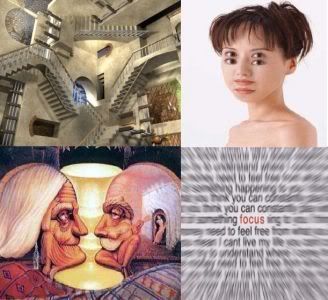
Illusive Pictures Vol 2
143 Pictures of Amazing Illusions | 2D and 3D Images | 15 Mb
Feeds your brain with this stunning optical illusion!
Download:
http://rapidshare.com/files/111221668/iIIusionsv2.rar
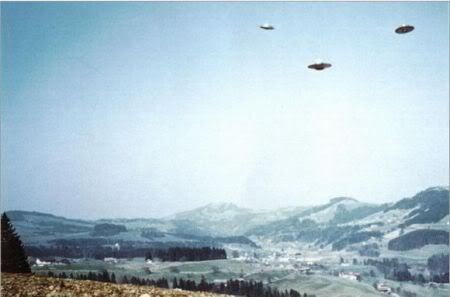
UFO Photographs 1870 - 1990`s
193 Pictures | Various Resolution | 9.61 MB
See by yourself UFO sighting from 1870`s - 1990`s
Download:
http://rapidshare.com/files/111221606/UFO.Photographs.v1.rar

VSO PhotoDVD is the best DVD Photo Slideshow Software to create DVD's from your photos. Watch your pictures on any home DVD player. Share your digital pictures on a DVD with friends or family. VSO PhotoDVD animates your images to make a video DVD Slide show. You can add optional soundtracks and comments to your pictures using DVD subtitles. The result is attractive and vibrant. The product is very easy to use and burn with any DVD writer.
A wizard style interface lets you define the folders or files where to select the pictures. You can define multiple lists of music files to play in the background, and add up to 3 channels of DVD subtiles. The transitions and animations of your pictures are completely automatic and will enhance the experience of sharing your best memories. Use focus points to highlight the details of your pictures, like the sparkling eyes of your new born baby. You can watch the results on a regular TV or computer using a DVD Player. This format uses the best quality available at the moment. A copy of your source files is stored in the DVD project and lets you keep trace of your digital pictures without quality loss using a computer.
Key Features:
• Support picture formats: JPG, GIF, BMP, ANI, PCX, EMF, WMF, and more...
• Support native RAW format : Canon RAW .CR2, Nikon .NEF, .DNG, Minolta and more...
• Supported audio formats for background music: MP3, WMA, OGG, MPC, WAV, APE
• Awesome pan and zoom effects
• Fullscreen (4:3) and Widescreen (16:9) output
• DVD output on DVD-R/RW and DVD+R/RW media (Single or Double Layer)
• Specify a focus point for each picture (highlighted by zoom techniques)
• Basic picture editing (rotation, black and white or color, etc.)
• Up to three subtitles tracks (for different languages)
• Up to three audio tracks for different background music
• Supports both PAL and NTSC formats
• Fast and highgrade MPEG2 encoder
• Universal DVD burning engine included
• Multilingual support
• Optimized for Windows XP and Windows Vista
Changes in PhotoDVD - 2.9.6.1 - 26th of June 2008:
=======================================
- 0001463: [Bug] inconsistence dans l'interface pas de popup dans le dialogue de selection de music (Fred)
- 0001937: [Feature Request] change wording in application (Fred)
- 0001931: [Bug] some pictures are loaded black (Fred)
- 0001954: [Feature Request] v2.9.6.0 ßeta: Bring back support for .aac files again (ConvertXtoDVD and CopyToDVD) were fixed already (Fred)
- 0001957: [Bug] add improper audio folder (Fred)
Download: http://rapidshare.com/files/125254133/VSO_PhotoDVD_2.9.6.1.rar

New Adobe® Photoshop® Lightroom™ software is the professional photographer's essential toolbox, providing one easy application for managing, adjusting, and presenting large volumes of digital photographs so you can spend less time in front of the computer and more time behind the lens. So you can spend less time sorting and refining photographs, and more time actually shooting them. Its clean, elegant interface literally steps out of the way and lets you quickly view and work with the images you shot today, as well as the thousands of images that you will shoot over the course of your career. Because no two photographers work alike, Adobe Lightroom adapts to your workflow, not the other way around.
Lightroom lets you view, zoom in, and compare photographs quickly and easily. Precise, photography-specific adjustments allow you to fine tune your images while maintaining the highest level of image quality from capture through output. And best of all, it runs on most commonly used computers, even notebook computers used on location.
* Perform nondestructive editing
Enjoy robust support for more than 150 camera raw formats, and experiment with confidence. Adjustments you make to images in Lightroom won't alter the original data, whether you're working on a JPEG, TIFF, DNG, or camera raw file.
* Enjoy an elegant, uncluttered interface
Ease the learning curve and be productive quickly. Task-oriented modules whisk you through typical workflow tasks by putting just the tools you need at your fingertips.
* Professional editing tools
Fine-tune your photographs with precise, easy-to-use tools for globally correcting white balance, exposure, tone curves, lens distortion, and color casts.
* Photographer profiles
Get inspired by documentaries of well-known photographers in the Lightroom Design Center.
* Lightroom/Photoshop Icelandic Adventure
Using the Lightroom, photographers uploaded, sorted, adjusted, and output their raw images while still working in the field.
* Project Photoshop Lightroom tour
Adobe brought the Lightroom beta to 25 schools across the U.S. See the work that resulted from the tour.
Enhancements that can be found in the Lightroom include the following:
• Localized corrections - Enhance specific areas of an image for unsurpassed nondestructive flexibility and control reminiscent of the traditional darkroom dodge and burn experience
• Improved organizational tools - Find the images you need quickly and easily
• Multiple monitor support - Add an additional monitor to efficiently manage photographic workflow and presentation
• Flexible print package functionality - Create custom layouts containing multiple sizes of a photograph on a single page
• 64-bit support - Lightroom 2.0 now takes advantage of the latest hardware architectures with improved memory handling and performance
Changes in Lightroom 2.0 Build 481478:
• Multi-monitor support: Open a view of the Library in a second window that can be displayed on a second monitor. Keep this window open while you’re working in any module, making it easier to view and select photos to edit or present.
• Streamlined Library browsing: A reorganized layout in the Library module makes it easier to manage your photos. A Volume Browser lets you check the status of local and networked volumes at a glance. The new Library Filter bar in the Grid view lets you find photos by metadata criteria; attributes such as ratings, labels, and flag status; or a text search of indexed metadata fields. See View information in the Volume Browser and Find photos using the Library Filter bar.
• Simplified keywording: The Keywording panel and new Keyword List panel are both on the right side of the Library module, making it easier to add, apply, and manage keywords. A new keyword set suggests similar keywords for photos whose capture times are in proximity.
• Support for larger file sizes: Work with files up to 65,000 pixels long or wide, up to 512 megapixels.
• Local color adjustments: Make exposure, brightness, clarity, and other adjustments on specific areas of a photo by using the Adjustment Brush tool or the Graduated Filter tool.
• Output creations: Save settings from the Slideshow, Print, and Web modules with a collection so that you can easily return to those settings for a group of photos.
• Smart collections: Create smart collections based on metadata rules that you specify. Smart collections automatically stay up-to-date with the photos that meet the criteria you specify.
• Postcrop vignette: Apply a vignette effect to a cropped photo.
• Tighter integration with Adobe Photoshop: Open photos from Lightroom in Photoshop more quickly and as a Smart Object. Merge multiple photos to panorama, merge multiple high dynamic range (HDR) photos, or open multiple photos as one layered file in Photoshop. When you return to Lightroom, edited images are automatically added to the catalog.
• New print options: Create print layouts, called picture packages, that contain one photo in a variety of sizes on a page. Enjoy improved output sharpening, and print to a JPEG file for your print service provider.
• Improved performance: Lightroom 2.0 makes better use of multiple processors for faster display of thumbnails and photos, and supports 64-bit systems running Windows Vista and Mac OS.
• Output SDK: A Software Development Kit allows third parties to create plug-ins that enhance Lightroom functionality for exporting photos, creating web photos galleries, and adding custom metadata.
Download: http://rapidshare.com/files/133720880/Adobe_Photoshop_Lightroom_v2.0.481478.rar

Focus Photoeditor is a powerful image and photo editor, picture retouching tool, web album creator, image browser and Photoshop Filters Host Application for Windows. Besides its excellent ability to correct digital photos, it has many rich tools and effects found in much more expensive professional tools. And there are also many tools you can hardly find elsewhere, such as Quick Fix Wizard, Effective and Intelligent Automatic Corrections, Smart Color Replacement and extras like a web-album builder, a batch processor and support for photoshop plugins..
Expand your Creativity, improve your digital photos, create artwork, produce pictures for the web, print your own Cd and MusicCassette covers, prepare logos, paint with the mouse and create professional looking graphics. Focus is the easy-to-use image editor for anyone. Focus Photoeditor is a feature rich graphics and photo editing solution for Painting and Retouching as well as Image Processing. It offers customizable brushes, more than 30 Filters/Effects/Deformations, gradients patterns, painting, magic wand and many other standard and advanced features. Focus Photoeditor also supports layers and offers a light studio to apply effects like Elliptic Hotspot, Supernova and others.
Benefits:
* Loads fast, letting you immediately start to edit your pictures.
* Program does not eat up memory, it just uses the right amount necessary for working: memory consumption does not grow with number of layers or the number of pictures opened in the editor.
* Supports over 70 digital camera RAW formats.
* Has a very comprehensive and professional set of features.
* Has the best set of Automatic Photo Corrections available on the market.
* High quality photo correction algorithms, which are also finely tuned. An example is the new Unsharp Mask filter.
* Has a very easy to use Batch Processor with undo capabilities.
* Supports powerful ways of creating Selections and has separate undo history for them.
* Features great control over precise editing (exact positioning of layers, precise cropping, printing in exact size and position etc..)
* Many options to save and export files (optimized size and preview for all formats)
* Very comfortable picture browser: lets you rotate, make backup copies, copy&paste, print picture files in a sheet.
• Enhance Photos
- Focus Photoeditor has an impressive arsenal of tools for editing and correcting digital images: Quick Fix Wizard, Exposure Compensation, Fill-Back Light, Smart Flash-Reduce Hilights, Midtones Compression, Adjust levels, Gamma, RGB curves, Hue / Saturation, Brightness / Contrast, Shadows / Highlights, Histogram stretch and much more...
- When coming to automatic corrections our software is an excellent choice as well: try its Quick Fix, Auto Contrast, Auto Stretch, Auto Colors, Auto White Balance, Smart Flash, Reduce Hilights and many others.
- Focus Photoeditor 5 can read and correctly render pictures with Adobe RGB or any other embedded color profile.
- In v. 5 a special attention and accurate tuning was put in every algorithm. With all its correction tools Focus Photoeditor will make your pictures look incredibly clean, sharp and perfectly balanced.
• Retouch
In Focus Photoeditor any editing tool can be used with color mode or with retouch mode. This gives you great flexibility in choosing the right tool for retouching different parts of a picture.
* Very practical and easy to use is the Anti-RedEye. You can get rid of this annoying problem very quickly: just select the eye color and choose the tool to use (for example a round brush or an ellipse..) to achieve a perfect result.
* The clone tool will let you remove unwanted details or duplicate existing ones.
* Also it's possible to lighten or darken details, Improve sharpness, Increase saturation using any of the editing tools provided.
• Paint and Draw
Focus Photoeditor is an excellent painting and editing program. You can paint, draw lines, polygons, ellipses and apply color, textures, gradients and objects.
* Customizable brushes let you create any work of art.
* With Cloning you can turn your photos into paintings, by copying part of one picture onto another, using your preferred color.
* Edit precisely using grids and guides.
• Compose with Layers
Focus Photoeditor as every advanced image editor supports layers. Layers are very useful for:
* Experimenting photo correction without modifying the original picture.
* Creating photo collages of several images one on top of another.
* Adding Text with shadows and 3d look.
* Create nice transparent blend effects between pictures.
The advantages of using our program for layers are clear when you don't have a lot of ram to waste. Infact FP's layers engine is designed to use the least amount of ram as possible.
What's New in version 5.2:
- Added full compatibility with Vista.
- If you are a Windows Vista user, you can now launch the program normally (no tricks are any longer necessary).
- Solved several bugs and problems
- Improved interface
- Improved Performance working with picture files
- Improved Unsharp Mask Filter, AutoSharpen and many others.
- Now it is possible to resize the crop area without loosing the proportions
- Improved Group Layers Operations, solved some bugs
- Now Raw formats work! Over 120
- Cameras supported.
- New Remove Chroma Noise correction: removes all kind of chroma artifacts. Tested with Panasonic cameras jpegs, which have this problem when shooting in low light.
- New Selections are now available from the main menu.
Download: http://rapidshare.com/files/133596405/Focus_Photoeditor_5.2.1.rar
The Enterprise edition offers support to localize remote databases like SQLServer and other. Visual JSP, ASP and PHP support makes it the most complete Sisulizer edition. It can be called from build tools to automate software distribution. The capability to access shared external translations memories like Trados (tm) (6.5 or higher) makes it the perfect solution for team development. New: With the Enterprise Edition you now can also localize any HTML Help files (.chm). Of course the Enterprise edition has everything the smaller editions also have.
Download:
http://rapidshare.com/files/128578893/Sisulizer_2008_Build_268_Enterprise_Edition_2b.rar


Organize Pictures and Photographs in easy to use Photo Albums with the Picture Organizer. Create Picture Packages that can be sent and received using e-mail, and added to any Photo Album. Exchange Picture Packages with diskettes, CD-R/RW, DVD-R/RW, Zip and Jazz Disks.
-Multimedia Viewer/Organizer - Search for major multimedia file types, -Display, Edit, Print, Play, Organize, Send and Receive File/Files over the internet.
-Organize Pictures, Documents, and Multimedia Files with Local Area Network Support.
-Cross Reference Viewer for Pictures, Video, Music, and Documents.
-Create any number of Photo Albums, Video and Music Playlists, and Document Lists.
-Find and Display Pictures, Videos, Sounds, Music, Text Files, Documents, and System Files.
-Save Descriptions and Search Word for each Picture, Document or Multimedia -File.
-View Picture Thumbnails and set the size and resolution of the Thumbnail images.
-Edit Picture/Image Files with techniques as Flip, Reverse, Rotate, Resize, Brightness, Contrast, Color Saturation, and other special effects.
-Edit Entire Picture or Selected Region of Pictures.
-Add 3-D Text and Geometric Shapes to Pictures and Images displayed in a Multiple Document Interface.
-Cut and Paste sections of Pictures onto other pictures.
-File Types supported are JPG, JPEG, CMP, uncompressed TIF, TIFF, BMP, ICO, CUR, PCX, DCX, PCD, FPX, WMF, EMF, FAX, AWD, XPM, IFF, PBM, CUT, PSD, PNG, TGA, EPS, RAS, WPG, PCT, CLP, ANI, SGI, FLC, XBM, MAC, IMG, MSP, CAL, ICA, TXT, BAT, LST, WRI, SYS, RTF, HTM, HTML, DOC, AVI, AVI(DivX), MP2, MP3, M3U, RMI, MID, MPG, MOV, WMA, WMV, etc.
-Create Photo Albums with picture groups for easy selection and location.
-Add Pictures, Multimedia Files, and Documents to a Photo Album by Drag and Dropping Picture Icons, Picture ThumbNails, or Folders.
-Easily Create Picture and Multimedia File Packages for sending and receiving more than one picture over the internet.
-Sort and Select Pictures in a Photo Album or Package for viewing and printing.
-Save a list of any number of Folders with your favorite Multimedia Files for quick location.
-Find and play WAV, MID, RMI, AVI, MPG, MPEG, MOV, MP2, WMV, and MP3 files with Microsoft Media Player Component.
-Great Play List Organizer for Video, Music, Sound Files with Play History.
-Create ThumbNails for Favorite AVI or MPG/MPEG Video Files.
-Print Pictures with Titles for page and each picture. Select your font and color for all printed text.
-Send and Receive Pictures in a compressed Zip File with descriptions and comments per picture if your system is set up with a stand alone E-Mail Program as Outlook Express or Netscape Navigator.
-Add your Received Packages to any Photo Album complete with comments.
-Print Pictures and Photo Album Pictures.
-Slide Show by Photo Album with hundreds of Transitional Effects while playing selected MP3, MID, RMI, WMA or WAV files in the background.
-Save Music, Sounds and other Multimedia Files in Photo Album or add to Photo Package.
-Copy all the Files in a Photo Album to CD-Rom, Zip Disk, Diskette, another Folder, or another Disk on the Local Area Network.
-Export Packages with many pictures and multimedia files with comments to RW CD Rom, Zip or Jazz Disks, and diskettes for sharing.
-Import Packages to Picture Organizer and easily Add to other Packages and Photo Albums preserving descriptions and comments.
-Supports TWAIN supported Devices, Scanners, and Digital Cameras.
-Save Photos and Pictures in the Photo Album Database which can be saved To CD, etc.
-Batch Rename, Copy, and Convert.
-Create Zip Files from pictures, multimedia, and documents.
-UnZip Zip Files.
-Multiple Image Edit Undos.
-Set your own colors to different types of windows and window components.
-Photo Album and Multimedia Play List Backup and Restore.
-Supports Windows 98, Windows ME, Windows 2000, and Windows XP.
-Complete Help Text with Quick Tips and Start Up Tip in the program for easy use.
Download:
http://rapidshare.com/files/125010174/Accessory.Software.Picture.Organizer.v5.0.rar

Create a professional animated gif (or avi) for 5 steps! Animations can be quickly assembled both from imported images (BMP, JPG, GIF, PNG, ICO, WMF, EMF) and from images that was created by using the embedded graphic editor. There are a few built-in tools: Frame editor, Creating of AVI or GIF via capture, Morphing 1, Morphing 2 and AVI viewer.
Features:
*Creating of AVI and animated GIF files.
*Built-in the frames editor.
*Preview.
*Testing of animated GIF with the help Internet Explorer.
*Converting an AVI file into animated GIF file.
*Saving only selected frames of an AVI file into animated GIF file or AVI file.
*A group saving the selected frames of an AVI file into BMP, JPG, GIF, PNG files.
*Changing of a codec for an AVI file.
*For making of frame is used the following file's formats: BMP, EMF, GIF, JPG, ICO, PNG, WMF.
* Creating the AVI and GIF files, you can:
o add frame(s) (there is the support of adding multiple files and drag and drop technic)
o insert frame(s) (there is the support of inserting multiple files and drag and drop technic)
o delete frame(s)
o refresh frame(s)
o change the frames order
o set the duration for every frame (animated GIF)
o set the image disposal for every frame
o apply more than 80 filters (antialias, spatial, twist, moire, sketch, sphere, water, wind, noise, marble, fish eye, rain drops, oil paint, ripple, shadow, gamma, greyscale, inverse, plasma, Gauss blur, puzzle, pixelate, texturized, tile, fractal, ribbon, watermark...)
o customize the color settings for every frame to reduce it size (animated GIF)
o add the frames with running text
o add the frames with alpha blending
o flip any frame
o clone any frame
o create the frame with simple or gradient fill
*Adding of a sound (for AVI).
*Creating of a GIF or AVI file via capturing by a user of a selected part of the Screen.
*Creating of an animated GIF with tween effect for 3 steps.
*Preview for every frame of AVI file with possibility of saving (BMP, GIF, JPEG, PNG).
*There is a support of hotkeys.
*The settings is stored into project file with the MCP extension.
*The MCP extension is registered in OS Windows that allow to load the project files in this program from Explorer by double click.
Download: http://rapidshare.com/files/125018153/Alex.and.Alex.Soft.Atani.v4.4.6.rar
MemoriesOnTV Pro 4.1
MemoriesOnTV is a powerful yet simple to use slideshow creator. Designed with ease-of-use in mind, MemoriesOnTV helps you whip up interesting slideshows quickly and effortlessly.
Add beautiful and elegant effects to your slideshows. We focus on the QUALITY of the effects instead of the QUANTITY. Our Ken Burns-styled panning and zooming effects has been refined over the years since we first introduced it to the consumer slideshow market. All these mean that you have the best and most professional looking effects at your finger tips.
Choose your output: DVD, Web*, AVI* or MPG?
Choose to burn your slideshow onto a video disc (VCD, SVCD or DVD) for play back on ordinary DVD players. No more squeezing in front of a computer monitor to showcase your pictures. The slideshow can be enjoyed on a big screen in the comfort of the living room.
Download:
http://rapidshare.com/files/129747038/MemoriesOnTV.Pro.v4.1.Incl.Keymaker-CORE.rar


Screen Saver Construction Set is the ultimate platform to build distributable multimedia Windows screen savers. Fast, flexible and easy to use, it will let you assemble screen savers of your own design out of pictures, animations, text and sounds. It will import graphics from most popular formats, including JPG, PCX, TGA, BMP, GIF and PNG, and sounds from WAV and MIDI files.
Screen Saver Construction Set also includes ANIMAL, a powerful development environment that will provide you with the tools to build screen savers to do just about anything you can imagine. The ANIMAL programming language is dead easy to master, even if all your previous computer programming has involved an eight-pound sledge hammer and a chain saw.
Application features:
- Build screen savers effortlessly.
- Import graphics from many other popular Windows applications.
- Add sound effects and background music to your screen savers.
- Include sophisticated animations in your screen savers.
- Add applets of your own devising.
- Distribute your screen savers with no run-times or DLLs to lose.
- Create professional Windows installers for your screen savers.
- Password-protect your screen savers to keep your work safe.

Transform your real-world photo into an animated nature scene by adding a wide array of water, weather and sound effects to your own photos and images!
Nature Illusion Studio lets you transform your digital photos into live and save it as screensavers, executables, AVI, or animated GIF. You can add water effects such as waterfall, lake, sea; animated objects such as birds, fishes; and weather effects such as snow or rain to your photos in less than 5 minutes.
Make photo live
A photo restricts your excitement from holidays spent at the seaside or near a waterfall to flat, two-dimensional images. Nature Illusion Studio lets you go beyond these physical restrictions and make a self-made animated scene, which can bring the original spirit and excitement of the holiday back to life.
Realistic natural effects
All visual effects have been recreated with accurate physics, so ripples on the water or subtle movements of the air look and behave just like they might in the physical life.
Share to others
The best thing is that you can share your excitement with others. You can create a screensaver and present it as a gift to your beloved or friend, publish it on your website and let your guests or customers download it for free.
Superb result
The end result is a superbly lifelike and atmospheric presentation that can be saved as a screensaver, a standalone executable, an AVI or animated GIF file and distributed to other people, who can admire your creation.
Features:
• Apply up to 6 water effects to a single image.
• Add Animated Objects to image. Supports animated GIF.
• Add weather effects snow and rain.
• Add sound effects such as birds, cricket, water sounds up to 8 channels.
• A library of water presets for various effects, including Waterfall, Lake, River, Fire, Fog, etc.
• Auto View mode provides you with instant feedback on your changes in real time.
• Save your creation as a screensaver, executable file, GIF or AVI file.
• Created nature scenes can be used in Water Illusion Screensaver, or Ace Pro Screensaver Creator
• Works with Windows Vista, XP, 2000, ME, NT, 98, 95
What's New in Nature Illusion Studio 2.80 (July 27, 2008):
- Add snow size option.
Download: http://rapidshare.com/files/133148013/Nature_Illusion_Studio_2.80.rar

Download:
http://rapidshare.com/files/133585310/Drk_Kight_TheDarkSide_www.rapid-soft.blogspot.com.rar

Create powerful images with the professional standard!
Adobe Photoshop - the essential software for perfecting your images, Adobe® Photoshop® CS3 now offers productivity and workflow enhancements, powerful new editing tools, and breakthrough compositing capabilities.
Adobe® Photoshop® CS3 software accelerates your path from imagination to imagery. Ideal for photographers, graphic designers, and web designers, the professional standard delivers new features such as automatic layer alignment and blending that enable advanced compositing. Live filters boost the comprehensive, nondestructive editing toolset for increased flexibility. And a streamlined interface and new timesaving tools make your work flow faster.
Reasons to upgrade:
- Smart Filters
- Quick Selection and Refine Edge tools
- Advanced compositing
- Streamlined interface
- Better raw image processing
- Improved Adobe Bridge
- Enhanced Vanishing Point
- Enhanced 32-bit HDR support
- Peak performance
- Black-and-white conversion
Top features:
• Industry-standard editing toolset. Perfect your images with industry-leading image-editing capabilities, which include enhanced color-correction and cloning and healing tools.
• Nondestructive editing. Take advantage of nondestructive editing capabilities, including new Smart Filters, which let you visualize different image effects, and Smart Objects, which let you scale, rotate, and warp raster and vector graphics — all without altering pixel data.
• Rich painting and drawing toolset. Create or modify images with a wide assortment of professional, fully customizable paint settings, artistic brushes, and drawing tools.
• Advanced compositing. Create more accurate composites by automatically aligning multiple Adobe® Photoshop® layers or images based on similar content. The Auto-align Layers command quickly analyzes details and moves, rotates, or warps layers to align them perfectly, and the Auto-blend Layers command blends the color and shading to create a smooth, editable result.
• Quick Selection and Refine Edge tools. Make selections in a snap. Loosely draw on an image area, and the Quick Selection tool automatically completes the selection for you. Then fine-tune your selections with the Refine Edge tool.
• Built-in efficiency. Take advantage of customized workflows and a streamlined work environment with enhanced palette management so you can focus on your images, not your software.
• Improved printing experience. Experience better control over print quality with color management, a larger print preview window, and more controls in one place so you can print in fewer steps. Improved printing controls, co-developed by Adobe and HP, make printing easier and more predictable and streamline setup options via integration with select printers from HP, Epson, and Canon.
• Faster, more flexible asset management with Adobe Bridge CS3. Organize and manage images more efficiently with Adobe Bridge CS3, which now delivers improved performance, a Filter panel for easier searching, the ability to group multiple images under a single thumbnail, the Loupe tool, offline image browsing, and more.
• Wide range of supported formats. Import and export a wide range of file formats, including PSD, BMP, Cineon, JPEG, JPEG2000, OpenEXR, PNG, Targa, and TIFF.
• Third-party solutions and resources. Take advantage of a wealth of additional resources — including software plug-ins, books, and training — from the longstanding community of expert Photoshop developers, authors, and trainers.
Note: To install copy all files to your hard disk and run setup!
These parts are not the same with the previous
Download:
http://rapidshare.com/files/129782748/CS3.part1.rar
http://rapidshare.com/files/129841007/CS3.part2.rar
http://rapidshare.com/files/129904313/CS3.part3.rar
http://rapidshare.com/files/130018750/CS3.part4.rar
http://rapidshare.com/files/130038012/CS3.part5.rar
Hi6000 iColorPicker v6.19 Incl Keygen
iColorPicker could be very useful application for graphic / web designers here. With its help you can find out HEX, RGB, HTML (and other popular) color codes from every part of your desktop.
Description: iColorPicker helps you pick and save color from any part of screen.
1. Pick color you need anywhere on the screen.
2. Zoom in onto your screen and select a specific pixel’s color.
3. Change the color code into the format you need.
4. Copy the color value to the clipboard just by button click.
5. All kinds of color code: RGB/HSL/Decimal/Hex/Html/Delphi/VB/C/C++, etc.
6. Save picked color for future use.
7. It’s very helpful for you to program or design.
Download:
http://rapidshare.com/files/129708886/Hi6000.iColorPickerv.6.19.Incl.Keygen-NGEN.rar


One tool for all your needs: IconWorkshop is professional tool designed to Create, Extract, Convert, Manage and Redistribute Windows® and Macintosh® Icons. Many features permits you to create high quality icons in minutes. Support for Vista® icons with embedded PNG compression. Convert icons between Macintosh® and Windows® in a click, create icons from PNG images...
Tools include automatic image format creation, creation of icons from images including PSD, PNG, JPEG2000, cross-platform conversion, automated batch processing and a Photoshop transfer plug-in. Produce icons up to 256x256 using a fully integrated workspace. It supports the Vista icon format featuring PNG-compressed 256x256 images. It includes a library of 150 image objects. You can also export your icons to Web-optimized GIF images.
Create professional icons for Windows and Macintosh OS:
- Full support for Windows Vista™ PNG-compressed icons
- Create quality icons for Windows® and Macintosh® OS
- Create attractive icons using Image Objects ®
- Convert icons between Macintosh® and Windows®
- Automatically create icons from images
- Export icons to images to illustrate your applications
Use a professional tool :
- Powerful Editor
- Create composite icons using drag & drop
- Integrated workspace
- Advanced Help
- Compatible with graphic industry standards
- Batch Procedures
- Librarian & Explorer with previews
Download: http://rapidshare.com/files/130394343/Axialis_IconWorkshop_6.30_Pro.rar

Active Desktop Calendar is fully customizable calendar features notes, tasks, alarms, and displays its data on your desktop through blending with existing wallpaper. You can organize your data in layers and share them with other people on a local area network. The program can integrate with Outlook and show its appointments and tasks on the desktop. If you synchronize your PDA device (Pocket PC, Palm, smartphone) with Outlook then through this connection you also get a synchronization with PDA as a side effect.
There are options for changing calendar icons, fonts and colors, marking weekdays of choice and marking dates with notes and/or alarms. You can have a text only version of the calendar and choose between displaying one, two or three months on the desktop.
Recurrence patterns are available for both notes and alarms. An alarm can be stand alone or attached to a note. If interactive desktop option is enabled, the program accepts direct clicks on dates, notes and tasks displayed on the desktop.
You can set each note to normal, private or invisible desktop view. Private notes are displayed as generic text reminder and invisible notes are not displayed at all. Printing calendar data is easy and includes an option to choose date range for printing notes.
Special desktop pictures option allows you to add some of your pictures to existing desktop background. Comma separated values .CSV format is supported for data export and import. Tablet PC users should not worry as the program detects desktop orientation changes automatically. Finally, Active Desktop Calendar comes with world clock screen saver that shows your computer's system time, plus five major time zones around the world.
Features:
- Blends data with desktop wallpaper
- Calendar, notes, tasks, alarms, contacts
- Many recurrence patterns for notes/alarms
- Interactive desktop interface
- Fully customizable (icons, fonts, colors)
- Data export/import/print (CSV, iCal)
- Included preset calendars with holidays
- Detects Tablet PC desktop orientation
- Dual/multi monitor systems supported
- Group calendar data in layers
- Share data layers on a local area network
- Direct connection with Outlook®
- Google® calendar support
- Automatic data backup
- Many icons available for marking notes
Supported OS: Windows 2000/XP/Vista
What is new in Active Desktop Calendar 7.55:
- Layer properties: text color
You will find this option in the Layers dialog. To use it just select a layer in the list and click Layer properties for it. The first layer property you can control is its text color. Enable "Use this color..." checkbox, select some color and click Ok to close the dialog. This way all notes that belong to that layer will show up in the same chosen color automatically.
Download: http://rapidshare.com/files/130447732/Active_Desktop_Calendar_7.55_Build_080717.rar

EarthView is a dynamic desktop wallpaper and screen saver, which displays beautiful views of the earth with daylight and night shadows. It produces colorful, high quality, high resolution images for every screen resolution - even beyond 1600x1200! The program supports map and globe views, urban areas, city lights, atmospheric effects, clouds, local time display and much more.
EarthView supports different maps that show our planet earth in different ways, like photographic or artistic. Many options allow total customization of all view parameters. EarthView starting at 10 km resolution, which means that at 100% zoom level, 1 pixel on your screen equals 10 kilometers on earth. If you purchase the full version, you'll get the possibility to download even more detailed versions of some maps, which have higher resolution. This means, they have much more detail, so you can zoom in even further! EarthView has won many awards for its absolutely breathtaking images.
EarthView main features:
* High detail view of the earth
* Day and night view
* Urban areas and city lights
* Clouds
* Three beautiful maps to choose from
* Locations of more than 3000 Cities with local time
* Map and globe projection
* Wallpaper and screen saver support
* Multiple monitor support
* Many options for full customization
* and much more...
Changes in Version 3.8.5 (18.07.08):
* Fix: problem with screen saver not updating on some systems solved
Download: http://rapidshare.com/files/130675031/EarthView_3.8.5.rar

Ashampoo Photo Commander 6 is a perfect example of a new generation of programs that are genuinely intuitive easy to use. It makes organizing your pictures and getting them to look great as simple as pressing the button on your camera. You’ll save time, have a barrel of fun and your friends and family will be really impressed.
Ashampoo Photo Commander makes managing and organizing even the largest collections of digital photos easy. Its powerful integrated photo editing tools make it a one-stop solution. Instead of switching to a graphics application you can do all your adjustments and enhancements directly in the organizer. Remove the red-eye effect, adjust colors, contrast, hue and many other parameters, resize, crop, rotate, add a wide range of special effects and more. All without leaving the program.
Almost everything is done with a couple of clicks – adding picture frames, correcting your photos, making greeting cards, collages and slide shows, sharing your pictures on CDs/DVDs or your website and much more.
Ashampoo Photo Commander 6 is a one-stop solution. You organize and view your photo collection, edit and enhance your photos and use creative editing and project tools all in a single program. And it also manages your audio and video files!
New highlights in version 6:
Intuitive new interface
The new tabbed ribbon-style interface puts all the functions at your fingertips. You can always see what functions are available and everything is so self-explanatory you will probably never need to consult the manual. Includes elegant Vista-style buttons in Windows XP and very cool transition effects when you switch between photos in full-screen editing mode.
Quick-Fix Tools
All the common operations you need to perform on your photos are now available in the Quick-Fix Tools tab: One-click color and contrast optimization, photo straightening (if the camera wasn’t straight), red eye correction, cropping, rotating and more – all with a couple of clicks.
Editable objects
You can add additional photos, text boxes, geometric shapes, arrows and more to your images. And now you can save them in a new file format that lets you go back again edit the objects again later without having to start right from the beginning.
Powerful new screen capture functions
The screen capture function now uses the latest technology from Ashampoo’s award-winning Magical Snap 2. It includes full support for capturing Windows Vista’s transparent Aero Glass effects and capturing on multi-monitor systems. You can also capture free-style shapes as well as the standard rectangular objects and fixed shapes, and apply cool drop shadow, edge and shape effects automatically while capturing.
Quick 5-star rating system
Every photo displayed in the Organizer has a line of 5 stars under it. To rate your photo you just click for between 1 and 5 stars. You can then sort by star ratings to quickly find your favorite photos.
Emailing multiple photos and movies
Now you can email multiple photos in a single PDF file, which many people like a lot more than mails with a whole list of separate photo attachments. You can also press Ctrl+E to mail one or more photos or other media files quickly. And of course Photo Commander will resize your pictures for you to make them easier to send.
New features at a glance:
* New interface: Ribbon style tabbed interface with Vista style buttons on XP
* Adjustable dialog box sizes: user settings are saved
* Quick-Fix Tools: All common operations with a couple of clicks
* Editable objects: New file format stores objects you add on editable layers
* Unlimited Undo/Redo: For all changes
* Browser EXIF mode: Shows all the photo’s EXIF/IPTC information directly under the picture
* Quick 5-star ratings: Just click to rate photos with 1-5 stars, supports sorting by rating
* Enhanced thumbnails: Better looking thumbnails stored with lossless compression
* Enhanced searching: In subfolders and by EXIF and IPTC data
* New screen capture technology: Capture free-style shapes, Vista Aero Glass effects and more, full multi-monitor support
* Improved Wizards: Wizards guide you through procedures with a clearer, even more intuitive layout
* Email to PDF: Mail multiple images in a single PDF file
* Batch optimization: Apply the new One-Click Optimization tool to all your selected photos in one quick and easy process
* Slide shows with audio: Add more than one audio track to your slide shows
* JPEG-XR support: The program supports the new Windows HD Photo format
Other great Photo Commander 6 features:
* CD/DVD burning tools: Burn your photos and slide shows directly to CDs and DVDs without leaving the program.
* Batch processing: Convert multiple photos to other formats and apply effects, all at the same time. Saves hours of tedious work.
* Slide shows: On your computer or on CDs and DVDs, with cool transitions and background music.
* Web albums: Post your best photos on your website, just choose them, generate the album and upload.
* Save as PDF: Save single or multiple photos to PDF files.
* Full-screen editing: Edit photos on your entire screen with the unique Mouse Tools.
* Merge images: Merge multiple images to create special effects.
* Collages, calendars, greeting cards, photo frames, collages: Build them all from your photos with a few clicks – being creative has never been so easy!
* Plugins: Extend the program’s capabilities with plugins – for example for special file formats.
* Skins: Change the program’s appearance with downloadable skins or design your own.
* Audio and video: Manage and view all your media files and create playlists.
* Supported formats: Over 60 photo, video and audio formats are supported, including transparent JPEG the new Windows HD Photo format.
Download: http://rapidshare.com/files/130896395/Ashampoo_Photo_Commander_6.20.rar


